

Sony has been a reliable household name in electronics for decades, from Walkmans to PlayStations to smartphones.
And Sony's Xperia phones have only gone from strength to strength since their launch in 2008. Their top-of-the-range cameras, sleek build and reliability still make them a top choice for Android users.
But what about eSIM technology? As digital SIM cards take off worldwide, many Sony Xperia owners are left wondering, 'Does Sony Xperia support eSIM technology?' And if so, which models are compatible?
Are Sony Xperia Phones eSIM Compatible?
This guide breaks down which Sony Xperia models currently support eSIM technology, how to check your phone and how to set up an eSIM step-by-step.
What Is an eSIM and Why Does It Matter for Travel?
An eSIM, or embedded SIM, is a digital SIM built directly into your device. Instead of dealing with plastic SIM cards, you complete a simple eSIM download and installation process that gets you online in minutes.
For travellers, eSIMs are an absolute game-changer. They allow you to avoid surprise roaming charges, queuing at airport kiosks for local SIM cards and researching phone shops abroad in advance. It's little wonder why so many people are opting for eSIMs over traditional methods of staying online abroad.
Are Sony Xperia Phones eSIM Compatible?
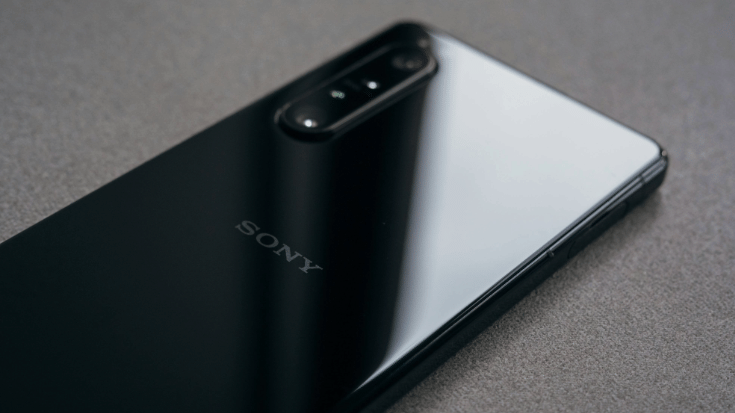
Sony Xperia 5 devices earlier than series four, such as this series two model, are not eSIM-compatible. Unsplash / He Junhui
The simple answer to this question is that some Xperia phones are eSIM-compatible, and others aren't. Newer Sony Xperia phone models are likely to support eSIM technology, but entry-level and older Xperia models generally don't.
You may also need to check the region your model was manufactured in, as this can affect compatibility, too. For example, some models may have eSIM functionality in Europe but not in Asia, or vice versa.
eSIM-Compatible Sony Xperia Phones
Here's the current lineup of Sony Xperia eSIM-compatible devices:
- Xperia 1 IV
- Xperia 1 V
- Xperia 1 VI
- Xperia 1 VII
- Xperia 5 IV
- Xperia 5 V
- Xperia 10 III Lite
- Xperia 10 IV*
- Xperia 10 V
- Xperia 10 VI
- Xperia Ace III
*Sony Xperia 10 IV eSIM support is only available in Europe. Contact your carrier or device manufacturer to confirm whether your Sony Xperia 10 IV device will work with an eSIM.
This list isn't exhaustive, and new models are launched regularly. When in doubt, check Airalo's regularly updated device compatibility list, or follow the steps below to check a specific Xperia phone.
Which Sony Xperia Phones Are Not Compatible with eSIM technology?
- Most Xperia L, Xperia XA and older pre-III models don't support eSIM technology.
- Entry-level or budget Sony phones typically won't support eSIMs.
- Older Xperia phones released before 2021 will also not have eSIM functionality.
How to Check if Your Sony Xperia Supports eSIM Technology
Not sure if your Xperia has eSIM capability? Here are three quick ways to find out.
Method 1: Settings Check
Go to Settings, then Network and Internet, then SIMs. Look for Add eSIM or Download a SIM. If you see either option, your phone supports eSIM activation.
Method 2: Dial Test
Open the dial pad and enter *#06#. If you see an EID (a 32-digit number), your device supports eSIM. This is the fastest check you can do and takes about 10 seconds.
Method 3: Device Info
Go to Settings, then About phone, tap Status, then EID. If visible, your Xperia supports eSIMs. No EID listed? Your phone uses physical SIMs only.
How to Install an eSIM on Sony Xperia Phones
Setting up an eSIM on your Sony Xperia is straightforward:
1.) Buy your travel eSIM plan from Airalo.
2.) Scan the QR code provided after you buy, or follow the process from within the Airalo app.
3.) Go to Settings, then Network and Internet, tap SIMs then Add eSIM.
4.) Follow the on-screen steps to download and activate.
5.) Select which SIM, physical or eSIM, you want to use for data.
That's it; your Sony Xperia is now connected and ready for travel. The whole process takes about five minutes. Do it before you leave home and you'll land with instant connectivity.
Chat, text and surf: If your Xperia has dual SIM functionality, you can keep your home phone number active for calls and text, while using your eSIM for data only. Find out more here.
What if My Sony Xperia Doesn't Support eSIM Technology?
No eSIM on your Xperia? You've still got the following options for staying connected abroad.
Option 1: Use a Physical SIM at Your Destination
You can buy a local SIM card when you arrive in your destination. You'll get local rates and decent coverage, but you will have to research the best deals, find the phone store, complete paperwork, show your passport and swap the physical SIM card in your phone.
Option 2: Rent a Portable Wi-Fi Hotspot
Mobile hotspots, or pocket Wi-fi, are small hubs that allow you to connect multiple devices to the internet. The caveat is that you will still need to source a local SIM card for the data, there will be an upfront cost to either buy or rent one, and you'll have the added task of keeping an extra device nearby, safe and charged throughout your trip.
Option 3: Upgrade to an eSIM-Compatible Sony Xperia
If you're a frequent traveller or due for a phone upgrade, it's worth considering newer Sony Xperia models. The Xperia 10 V or 5 V are eSIM compatible and well-rated by users. And you could consider it an investment in hassle-free travel.
Option 4: Rely on Wi-Fi and Offline Resources
Download maps, translation apps and entertainment before you fly. Many cafés, hotels and public spaces offer free Wi-Fi. It's not perfect, but it works in a pinch.
Option 5: Check International Roaming Add-Ons with Your Carrier
Your mobile provider might offer bolt-on packages you can use in specific countries abroad. However, they're often pricier than eSIMs for travel, and it may not be as easy to monitor when your data runs out, and when you might default to standard roaming charges.
Bonus Travel Tips for Sony Xperia Phones
Your Sony Xperia is packed with features you may not have discovered yet. Here are some that can make your trip smoother.
- STAMINA mode: Extend your battery life on long travel days. Essential when you're out exploring from dawn to dusk.
- Camera pro mode: Perfect for capturing travel shots. Sony's camera tech rivals dedicated cameras in some lighting conditions.
- Google Lens translating: Point your camera at menus, signs or documents to instantly translate them. This clever feature works offline too, if you download the relevant language pack in advance.
- Offline maps: Download your maps over Wi-Fi before heading out, so you can navigate unfamiliar streets without using data or losing your signal.
Get a Travel eSIM for Your Sony Xperia
Grabbing an eSIM from Airalo before you head off is the easiest and most flexible way to stay connected abroad. With Airalo, you can buy data for 200+ destinations and choose from:
- Country/Local eSIMs: If you're spending all of your time in one destination, local eSIMs are the best choice.
- Regional eSIMs: Vanlifing, backpacking or interrailing across several countries? A Regional eSIM is the companion you need.
- Unlimited data eSIMs: Don't worry about running out of data with an unlimited data eSIM.
- Global eSIMs: if you're on a long-term adventure, a global eSIM is the most affordable and convenient way to stay connected.
Browse your eSIM options: Planning a trip abroad? Head to the Airalo store to browse your eSIM options, choose how much data you need, how long for, then download your eSIM in minutes. That's it; you and your Sony Xperia are all set for smooth, connected travels.
FAQs: Does Sony Xperia Support eSIM Technology?
1.) Which Sony Xperia Phones Support eSIM Technology?
The Xperia 10 IV and later models (including 1 IV, 1 V, 1 VI, 1 VII, 5 IV, 5 V, 10 III Lite, 10 V, 10 VI, Ace III) support eSIM technology, depending on carrier and region. We always recommend checking with your manufacturer if you already own the handset, or the seller of a new phone before buying.
2.) Does the Sony Xperia 10 III Support eSIM?
The standard Xperia 10 III doesn't support eSIM technology. However, the Xperia 10 III Lite does. Always double-check your carrier's compatibility list before activating.
3.) How do I check if my Xperia has eSIM support?
Go to Settings, then Network and Internet, tap on SIMs or dial *#06# to check for an EID number. Alternatively, run through the steps we suggest above for more ways to check your device's compatibility.
4.) Can I use dual SIM on Sony Xperia phones?
Yes, many Xperia phones allow one physical SIM and one eSIM for flexible travel use. But your phone has to be a model that features dual-SIM functionality.
5.) What's the best eSIM for travel for a Sony Xperia?
Choosing an eSIM from a supplier such as Airalo is the most convenient, fastest and affordable way to stay connected when using your Sony Experia abroad. Most travellers are moving away from physical SIM cards to eSIMs due to the many benefits they bring when on the move.