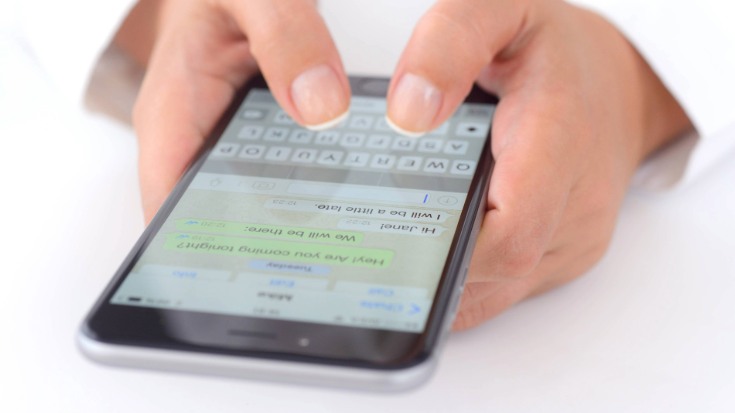
Have you ever sent a message on WhatsApp and then... nothing? No reply, no blue ticks, no profile photo. Just a single grey tick greeting you every time you check in?
You start wondering: "Did I do something? Have they blocked me? Or are they just somewhere with no signal? Like stuck on a mountain bus in rural Vietnam?"
We've all been there. And it's not about being nosy. Sometimes you're waiting on travel plans, meeting details or even a customer service reply.
So being curious about whether someone's blocked you on WhatsApp is a natural next step. It's OK to wonder, you're only human.
How to Know If Someone Blocked You on WhatsApp
As we all know, WhatsApp doesn't notify you if someone blocks you, which can certainly add to the mystery. And there is no 100% foolproof way of knowing for sure if you've been blocked.
However, there's one way in particular that comes very close to giving you a clear answer — the delete and re-add method.
And in this guide, I'll walk you through the delete and re-add method and how to check it alongside other indicators to determine if you've likely been blocked by someone.
But first, it's important to understand what being blocked on WhatsApp looks like.
What Happens When Someone Blocks You on WhatsApp?
Suspecting a block can be stressful, but don't jump to conclusions — there are lots of reasons why messages don't get through
Here are the other indicators that often make people wonder if they've been blocked on WhatsApp.
Individually, they don't mean much. But together, and especially combined with the 'delete then re-add' trick I'll explain later, they start to tell a clearer story.
1. You Can't See Their 'Last Seen' or 'Online' Status
- What you might notice: No online status or last seen timestamp.
- What it could mean: Either that you've been blocked or that you or they have changed privacy settings.
2. Their Profile Photo Has Disappeared
- What you might notice: The profile pic vanishes, never changes or is replaced with a default grey avatar.
- What it could mean: They've blocked you, removed their profile image or have chosen to limit who can see it.
3. Messages Only Show One Tick
- What you might notice: One grey tick, but never two.
- What it could mean: They've blocked you or their phone's off, they've deleted WhatsApp, or they've got no signal.
4. WhatsApp Calls Don't Go Through
- What you might notice: Voice or video calls never connect.
- What it could mean: Either you're blocked, they've got a poor signal, or they've disabled their call function.
5. You Can't Add Them to a Group
- What you might notice: You're unable to add them to a new group chat.
- What it could mean: They've blocked you or they've restricted who can add them to groups via privacy settings (e.g. Everyone, My Contacts, or My Contacts Except...).
6. No Typing, No Reactions, No Responses
- What you might notice: Total silence. No replies, no typing indicator, no emoji responses.
- What it could mean: You've been blocked, they're just taking a break from Whatsapp or maybe they're in a place with no signal.
The WhatsApp block feature exists to protect people's privacy, safety and peace of mind. Even if it feels confusing or frustrating, it's important to respect that boundary and avoid trying to bypass it. Digital spaces deserve the same respect as real-life ones.
The Best Way to Know If Someone Blocked You on WhatsApp
Looking at the above, there are lots of little signs someone may have blocked you on WhatsApp.
But if you want the most reliable, drama-free way to check, the 'delete then re-add' method is the closest thing you'll get.
Here's how to do it.
Delete the Contact, Then Re-Add Them
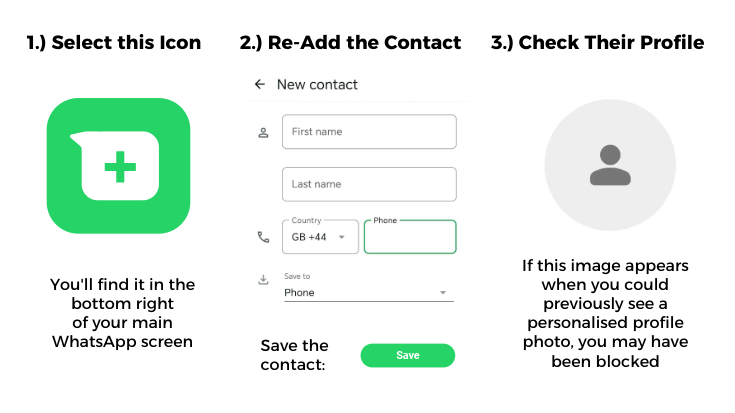
When someone blocks you on WhatsApp, you're immediately prevented from seeing any updates to their profile pictures, including new ones they add in future.
The profile picture you will always see from then on is the one they had the moment they blocked you.
So this means that if you delete the contact and re-add them, logically, you would be denied access to their profile picture.
It sounds more complicated than it is. But essentially, all you're doing is refreshing your connection with them on WhatsApp.
Here's how you do the WhatsApp delete and re-add method:
1.) Delete the contact from your phone's contact record.
2.) Re-add their number to your contacts.
3.) Open WhatsApp, refresh your chat list and go to their profile.
4.) You've likely been blocked if: Their WhatsApp profile photo is blank/reset to the default graphic, and you can't see their status or last seen details.
5.) You probably haven't been blocked if: You re-add the contact and can still see their personalised profile picture in WhatsApp.
A word of reassurance: The delete and re-add method won't alert the other person, doesn't delete your message history with them, and doesn't violate privacy rules.
Understanding WhatsApp's ticks can help you troubleshoot whether a message is stuck due to poor Wi-Fi, if the recipient's phone is dead, or if you've potentially been blocked.
✔️ What does one tick mean on WhatsApp?: A single grey tick confirms that your message has been successfully sent from your device and received by WhatsApp's servers.
✔️✔️ What do two ticks mean on WhatsApp?: Two grey ticks indicate that your message has been successfully delivered to the recipient's phone or linked devices, though they have not yet viewed it. If these ticks turn blue, that means the person has seen your message.
Travelling? It Might Just Be a Signal Problem
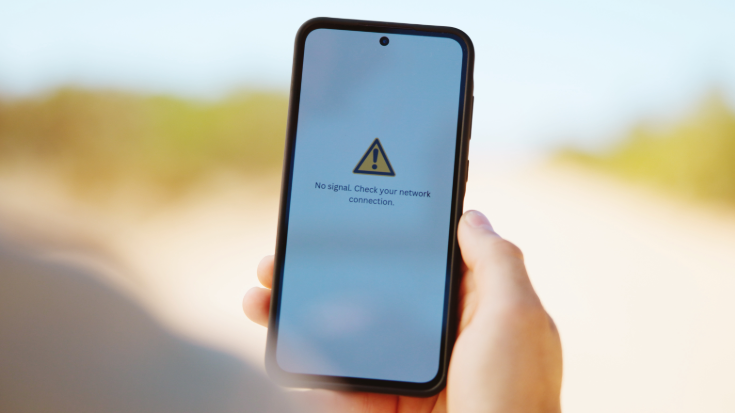
If your recipient is travelling, the likelihood of them experiencing signal dropout or a dead phone is considerably higher.
Before you assume someone's blocked you, remember that bad Wi-Fi or a lack of data can mimic all these signs.
If they're abroad without roaming sorted, they might not be receiving messages at all. Especially if they're relying on public Wi-Fi or intermittent connections.
A travel eSIM can fix that in seconds, keeping you connected across borders without SIM card hunting and surprise roaming bills.
Learn more about eSIMs for travel from Airalo.
What to Do (and Not Do) If You Think You've Been Blocked
Do:
- Try the delete-and-re-add method,
- Check your own privacy settings,
- Move on respectfully if it's clear they've cut contact.
Don't:
- Send a barrage of messages,
- Create a second account to test the theory — respecting people's wishes and privacy is vital,
- Assume the worst immediately — tech is messy sometimes.
Wrap-Up: Can You Tell if Someone Blocked You on WhatsApp?
So, can you really tell if someone has blocked you on WhatsApp? Not officially, but the delete-and-re-add method is your best way of deducting it. Combine that with other clues, and you can make an educated guess without jumping to conclusions.
And remember, sometimes it's not about you. A person might have a poor signal, their phone may have run out of battery, they may have locked down their privacy preferences, or they might just want a little quiet time. Respecting people's space and wishes is everything when it comes to communicating in a digital world.
Never Miss a Message with an eSIM from Airalo

Stay connected in 200+ destinations without the hassle of hunting down free Wi-Fi, fiddling with plastic SIM cards or worrying about sky-high roaming fees.
New to eSIMs? We're giving you 15% your first data package with Airalo. Just head to our online store here and use the code BLOCK15 at the checkout to redeem. Terms and conditions apply.
FAQs: How to Know If Someone Blocked You on WhatsApp
1.) Can You Tell If Someone Has Blocked You On WhatsApp?
There's no official feature to confirm a WhatsApp block with 100% certainty, but a combination of hidden profile pictures, single checkmarks, and failed calls suggests it's likely. While WhatsApp protects user privacy by not sending block notifications, a high-reliability test involves deleting the contact from your phone and re-adding them; if their profile photo remains invisible when it was previously public, you have likely been blocked.
2.) What Does One Tick Mean On WhatsApp?
A single grey tick indicates your message was successfully sent from your device, but it hasn't yet been delivered to the recipient's phone. This usually happens if their device is off, if they're in an area with no internet connectivity, or if they've blocked you.
3.) Why Can't I See Someone's WhatsApp Profile Photo?
Missing profile photos on WhatsApp are caused by the user blocking you, removing their photo entirely, or adjusting their privacy settings to 'nobody' or 'my contacts.' If you suspect a block, check whether your messages show only one tick or if you can no longer see their 'last seen' status. These signals combined usually confirm a restricted connection.
4.) Will I Lose My WhatsApp Chats If I Delete A Contact On My Phone?
No, deleting a contact from your smartphone's address book doesn't remove or delete your existing WhatsApp chat history. The conversation will remain active in your WhatsApp chat list, although it'll now be identified by the person’s phone number rather than their saved name.
5.) What's The Best Way To Stay Connected Via WhatsApp While Travelling?
The most reliable way to maintain a WhatsApp connection while you're travelling is by using an eSIM, which provides instant local data and eliminates expensive international roaming fees. By using a travel eSIM, you can keep your original WhatsApp account and phone number active for messaging while using a secondary, affordable data line for internet access.
6.) How To Turn Off Read Receipts On WhatsApp?
To disable read receipts on WhatsApp, navigate to Settings > Privacy and toggle the 'read receipts' switch to the off position. Once deactivated, you'll no longer send or receive blue checkmarks for individual messages. However, it's worth noting that read receipts are permanently enabled for group chats and can't be turned off for those interactions.