If you've ever had to deal with a physical SIM card, then you're all too familiar with its limits. From having to wait in line at airports, to setup hassle and easy misplacement, the physical SIM card can cause frustration. That's where eSIMs come in.
eSIMs are digital SIMs that you can download directly to your phone. eSIMs help you stay connected on the go more smoothly, but like any new technology, you may need some guidance to get started. In this article, we'll take you through 3 simple steps to install and connect your Airalo eSIM.
In this article:
What Are the Benefits of Using an Airalo eSIM?

eSIMs have many benefits over traditional SIM cards, such as instant travel connectivity and more. Using an eSIM from Airalo comes with many benefits, including:
- No roaming fees. Airalo eSIMs are prepaid. Pay only for the data you need, and say goodbye to surprise roaming fees.
- You aren't tied to a specific carrier. You can choose the eSIM data package that best suits your needs and easily switch packages when you travel.
- You can connect like a local. Airalo works with local providers to ensure you get the best prices and service during your trip.
- Contact us 24/7. Our support team is available 24/7, so you can get the assistance you need, no matter your time zone.
Prepare for Your Airalo eSIM Setup

Before you install and activate your eSIM, check that your device is:
- Carrier-unlocked
- eSIM Compatible
- Connected to Wi-Fi
Read on for more information or jump to Step 1.
1) Ensure Your Phone is Unlocked
Carrier-unlocked means that your device isn't tied to a contract with a mobile carrier. If you're unsure, we recommend calling your carrier to confirm or checking your device's settings.
Here's how to do it on iPhone:
- Go to your iPhone's Settings.
- Tap General.
- Tap About.
- Scroll down to Carrier Lock or Network Provider Lock.
- Check the status there.
- If your iPhone is unlocked, its status will be No SIM restrictions. If it's locked, you'll see your carrier's name.
Settings will look different based on your Android model, but generally will look like this:
- Open Settings.
- Tap Network & Internet, Connections, or a similar menu option.
- Tap SIMs, Mobile Network, or a similar option.
- You'll then be able to choose a network/SIM or select network operators for further choices. If you see more than one network to choose from or options to manage your SIMs, this likely indicates that your phone is unlocked.
2) Check if Your Phone is eSIM-Compatible
Whether your phone is eSIM-compatible depends on the model and where it was manufactured, not just the year it was released. While many newer smartphones support eSIM technology, this isn't guaranteed.
Some phones only support eSIM technology in certain regions, while others may have different hardware depending on the market they were made for. For example, two phones with the same name can have different eSIM capabilities, depending on the country in which they were manufactured.
Before purchasing an eSIM, we strongly recommend verifying that your phone is eSIM-compatible, which means it supports the storage of digital SIMs. Here are a few ways you can do this:
Method 1: Settings Check
- Open Settings on your phone.
- Navigate to your SIMs (under Mobile/Cellular Networks or similar).
- Look for an Add eSIM or Download SIM option. You might have to select a SIM before you see the option.
- If it's there, you're eSIM-ready.
Note: Instructions vary based on your phone model. If you struggle to find the Add eSIM/or Download eSIM option, use your phone's search function.
Method 2: IMEI and EID Check
- Dial *#06# on your phone.
- If you see two IMEI numbers, your phone likely supports dual-SIMs (physical and eSIM).
- Note down the IMEI and check with your carrier.
- Alternatively, if an EID appears, your phone supports eSIM.
Method 3: Manual Check
- Check your phone's original packaging or documentation. If it's available, eSIM support is usually listed in the technical specifications.
- You can also check Airalo's regularly updated eSIM compatibility list here.
Method 4: Quick Dial Code (Android only)
- Open your phone app.
- Dial ##4636##.
- On most Android phones, this opens a hidden menu that allows users to view and modify network settings.
- From this menu, select Phone Information.
- Look for an eSIM or embedded SIM status.
Note: You can still purchase an eSIM if your phone isn't eSIM compatible. You'll have the option to share the eSIM to another device, rather than install it on your phone.
3) Connect to Wi-Fi Before Installing Your eSIM
We always recommend that you connect to a stable Wi-Fi network when installing your eSIM. This is because eSIMs can only be installed once, and an unstable connection can cause the installation to fail.
We generally recommend doing so before leaving for your trip, so that you can get connected upon landing. Most eSIM's validity period only starts when the eSIM connects to the mobile network in its coverage area, so that you won't lose precious data.
Pro tip: Check an eSIM's validity policy by selecting Package details before or after purchase. This will let you know if the eSIM's validity period starts when it connects to a network, or more rarely, upon installation.
Now that you've got the basics down, it's time to buy and install your eSIM.
Step 1: Buy an eSIM
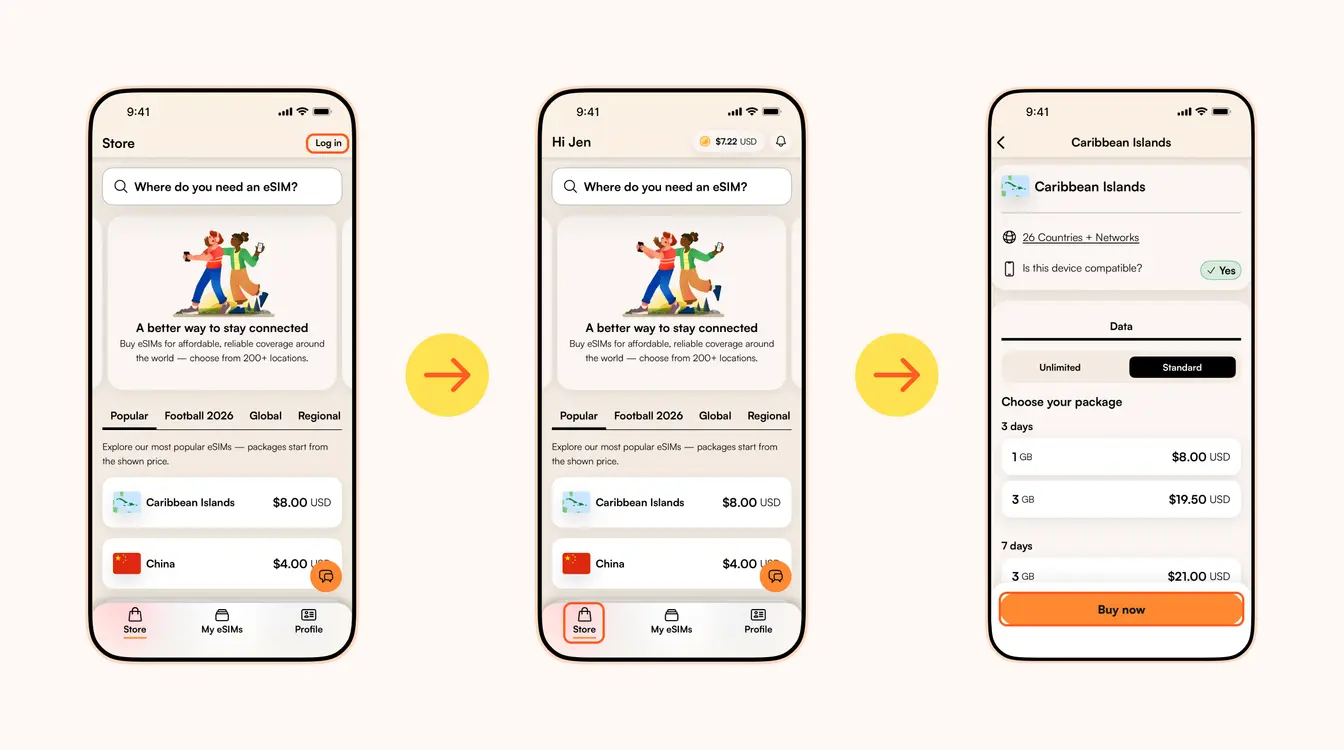
Wenn du schon mal eine physische SIM-Karte genutzt hast (und das hast du sicher), weißt du, wie viel einfacher eine eSIM ist. Auf Reisen sofort verbunden sein, einfache Installation und schnelle Aktivierung – was gibt’s da nicht zu lieben?
eSIM-Anbieter wie Airalo (ja, das sind wir!) sorgen dafür, dass du auch unterwegs immer verbunden bleibst. Wir ersparen dir den Stress mit SIM-Karten und bieten dir sofortige Verbindung in über 200 Ländern und Regionen weltweit.
Wie bei jeder neuen Technologie brauchst du beim Einstieg vielleicht etwas Hilfe. In diesem Artikel zeigen wir dir Schritt für Schritt, wie du deine Airalo eSIM installierst und aktivierst.
Das Wichtigste im Überblick:
- So installierst und aktivierst du deine Airalo eSIM in vier einfachen Schritten
- Eine eSIM installieren
- Eine eSIM aktivieren
- Lokale, regionale und globale eSIMs
- Vorteile einer Airalo eSIM
- Häufig gestellte Fragen (FAQ) zu den eSIMs von Airalo
So aktivierst du deine Airalo eSIM in nur 4 Schritten
Stelle sicher, dass dein Gerät eingeschaltet ist, bevor du deine eSIM installierst und aktivierst.
- SIM-Lock entsperren. Das bedeutet, dass dein Gerät nicht an einen bestimmten Mobilfunkanbieter gebunden ist. Wenn du dein Gerät direkt gekauft hast, ohne dass es an einen Mobilfunkvertrag gebunden ist, ist es wahrscheinlich entsperrt. Wenn du dir unsicher bist, empfehlen wir, deinen Anbieter zu kontaktieren, um sicherzugehen!
- eSIM kompatibel. Wenn du ein Smartphone aus dem Jahr 2018 oder später besitzt, ist die Wahrscheinlichkeit hoch, dass dein Gerät eSIMs unterstützt. Schau in unserer umfassenden Liste von eSIM kompatiblen Geräte nach, ob dein Mobiltelefon dabei ist.
Nachdem du dir nun sicher bist, dass dein Gerät entsperrt ist und eSIMs unterstützt, kannst du deine eSIM jetzt in vier Schritten installieren und aktivieren - ganz einfach und unkompliziert!
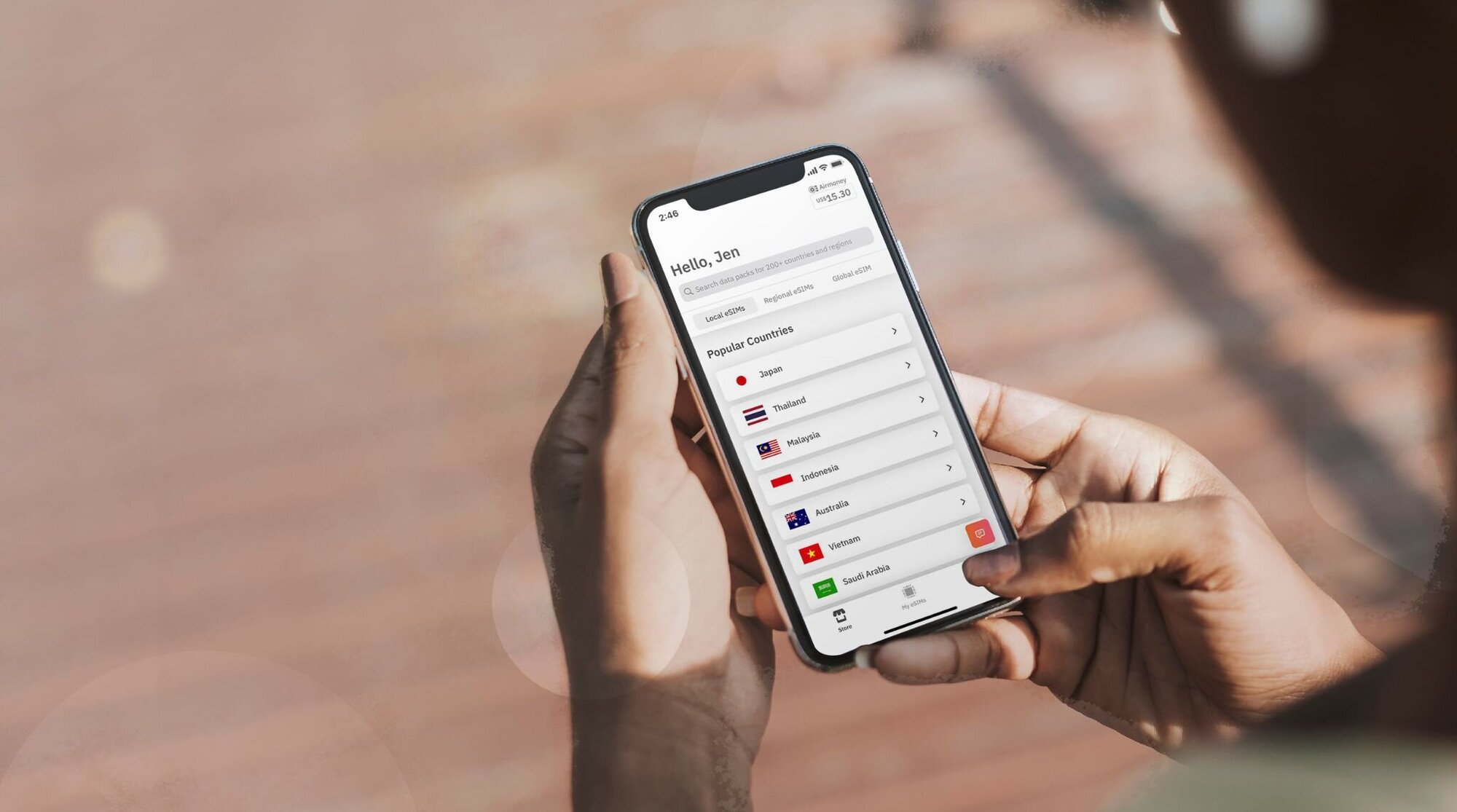
Schritt 1: Kaufe deine eSIM
Zuallererst musst du deine passende eSIM auswählen und kaufen. So geht's:
- Gehe zur Airalo-Website oder lade dir die Airalo-App herunter (iOS | Android).
- Wähle eine eSIM für das Land oder die Region, in die du reist.
- Achte beim Auswählen auf die benötigte Datenmenge, die Gültigkeitsdauer der eSIM und ihren Preis.
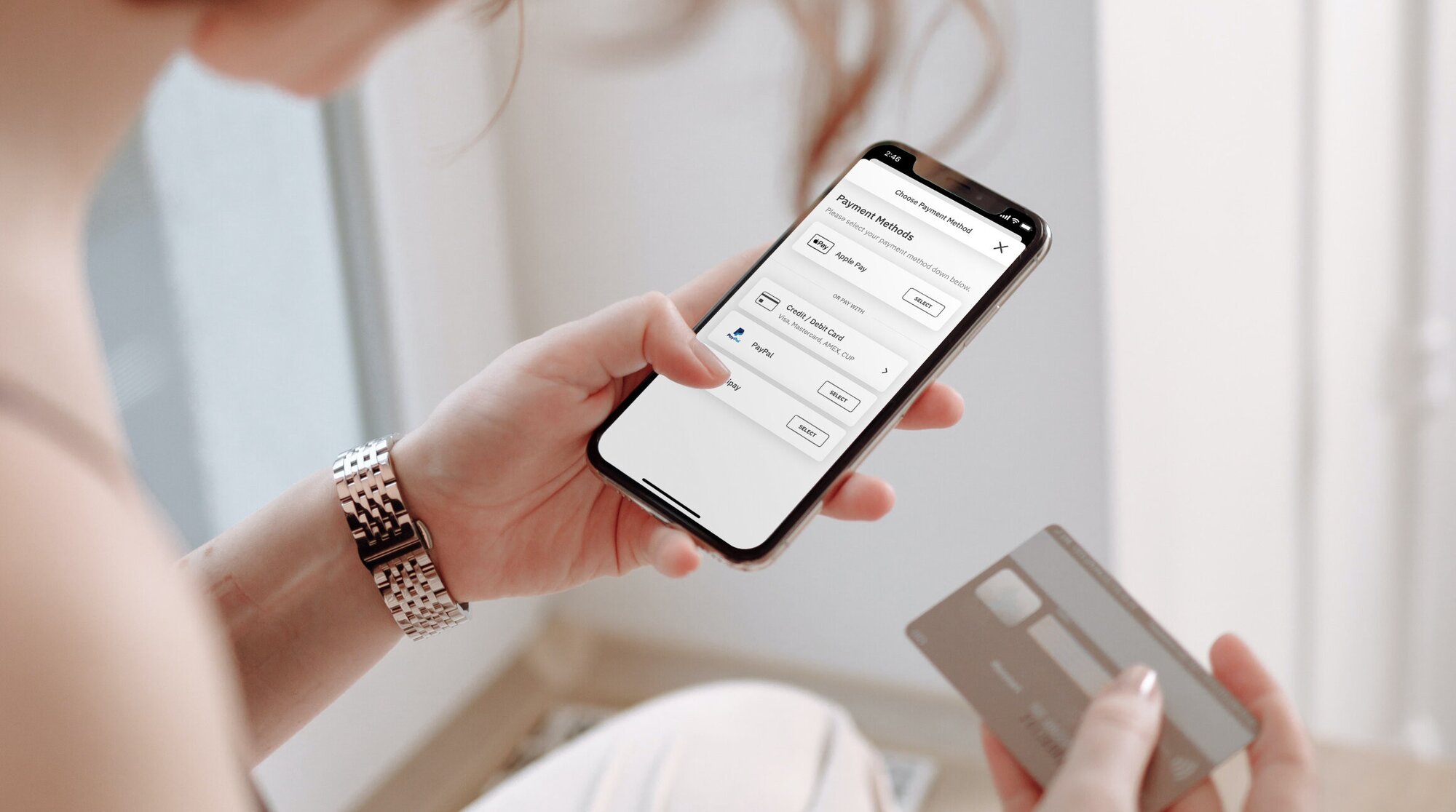
Schritt 2: Installiere deine eSIM
Deine eSIM ist gekauft – jetzt musst du sie auf deinem Gerät installieren. Bevor du mit der Installation beginnst, stelle sicher, dass du eine stabile WLAN-Verbindung hast.
Hier sind drei einfache Wege, um deine Airalo eSIM zu installieren:
- Direkt: Öffne die Airalo-App und folge Schritt für Schritt den Anweisungen, um deine eSIM zu installieren.
- QR-Code: Scanne einfach den QR-Code und leg sofort los – die Installation startet ganz von selbst.
- Manuell: Gib deine eSIM-Details einfach per Hand in den Einstellungen deines Geräts ein.
Alle Details zur Installation deiner eSIM findest du unter den folgenden Links:
- eSIM-Anleitung für iOS/iPhone
- eSIM-Anleitung für Android
- eSIM-Anleitung für Samsung Galaxy S20/S21
- eSIM-Anleitung für Google Pixel
- eSIM-Anleitung für Huawei
Während der Installation, wirst du gebeten, deiner eSIM einen Namen zu verleihen. Unser Tipp für dich: Wenn du zum Beispiel nach Ägypten fährst, nenn deine eSIM einfach „Ägypten eSIM“, damit du schnell zwischen deiner Haupt-SIM und der neuen eSIM unterscheiden kannst. Das macht dein Leben deutlich einfacher – besonders, wenn du deine SIM-Karte für Anrufe sowie SMS und die eSIM ausschließlich für mobile Daten nutzt.

Schritt 3: Aktiviere deine eSIM
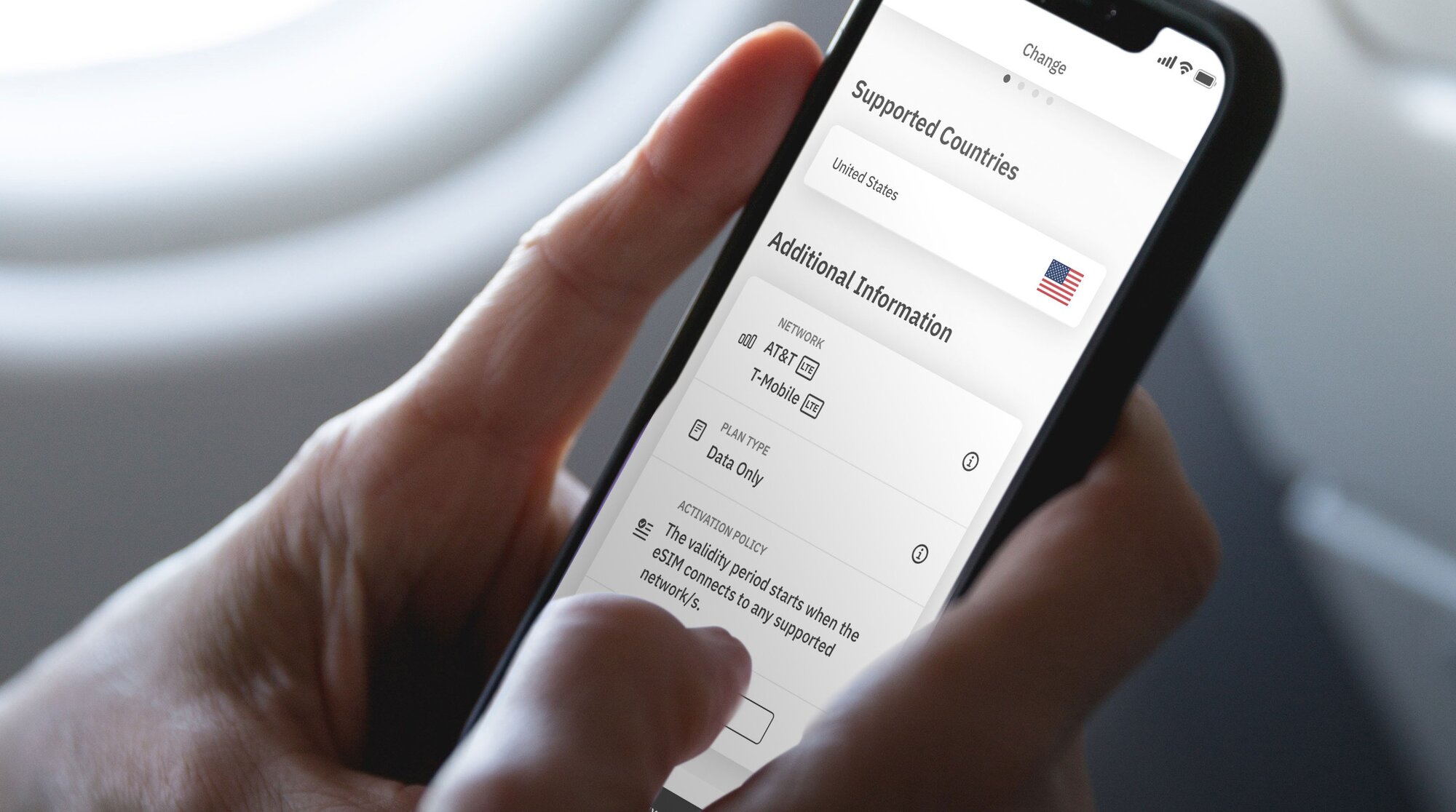
Die Aktivierungsrichtlinie deiner eSIM zeigt dir, wann die Gültigkeitsdauer startet. Es gibt zwei Arten von eSIM-Aktivierungsrichtlinien:
- eSIMs, die aktiviert werden, sobald du dich mit einem unterstützten Netzwerk verbindest. Die meisten eSIMs werden aktiviert, sobald du deine eSIM einschaltest und dich mit einem unterstützten Netzwerk an deinem Reiseort verbindest. Sobald du verbunden bist, startet die Gültigkeitsdauer – jetzt kannst du deine eSIM für mobile Daten nutzen.
- eSIMs, die direkt bei der Installation aktiviert werden. Einige eSIMs werden sofort nach der Installation aktiviert, selbst wenn du das Haus nicht mal verlassen hast! Unsere Empfehlung: Installiere eSIMs, die sofort aktiviert werden, erst kurz vor deiner Reise. So kannst du das Datenvolumen für deinen gesamten Trip nutzen.
Die Aktivierungsrichtlinie findest du im Abschnitt Zusätzliche Informationen deiner eSIM:
- Öffne die Airalo-App.
- Wähle die eSIM aus, die du kaufen möchtest.
- Tippe auf JETZT KAUFEN, um dir die Details anzeigen zu lassen (aber keine Sorge, du musst die eSIM noch nicht kaufen).
- Scroll nach unten zu den Zusätzlichen Informationen.
- Lies dir die Aktivierungsrichtlinie durch.
Schritt 4: Verbinde dich mit einem lokalen Netzwerk
Jetzt, wo du beide Arten der eSIM-Aktivierung kennst, erklären wir dir, wie du deine eSIM zu aktivierst und dich mit einem lokalen Netzwerk verbindest.
So aktivierst du deine eSIM auf dem iPhone:
- Gehe zu Einstellungen
- Tippe auf Mobile Daten.
- Tippe auf deine eSIM-Leitung.
- Haken setzen bei Diese Leitung einschalten.
- Schalte Datenroaming ein.
- Tippe auf Netzauswahl und wähle ein unterstütztes Netzwerk aus (eine Liste der Netzwerke findest du im Abschnitt Zusätzliche Informationen der eSIM).
Und so funktioniert's auf Android:
- Gehe zu Einstellungen.
- Tippe auf Netzwerk & Internet.
- Tippe auf Mobiles Netz.
- Aktiviere deine eSIM.
- Aktiviere Mobile Daten.
- Schalte Datenroaming ein.
- Wähle ein unterstütztes Netzwerk aus (findest du im Abschnitt Zusätzliche Informationen der eSIM).
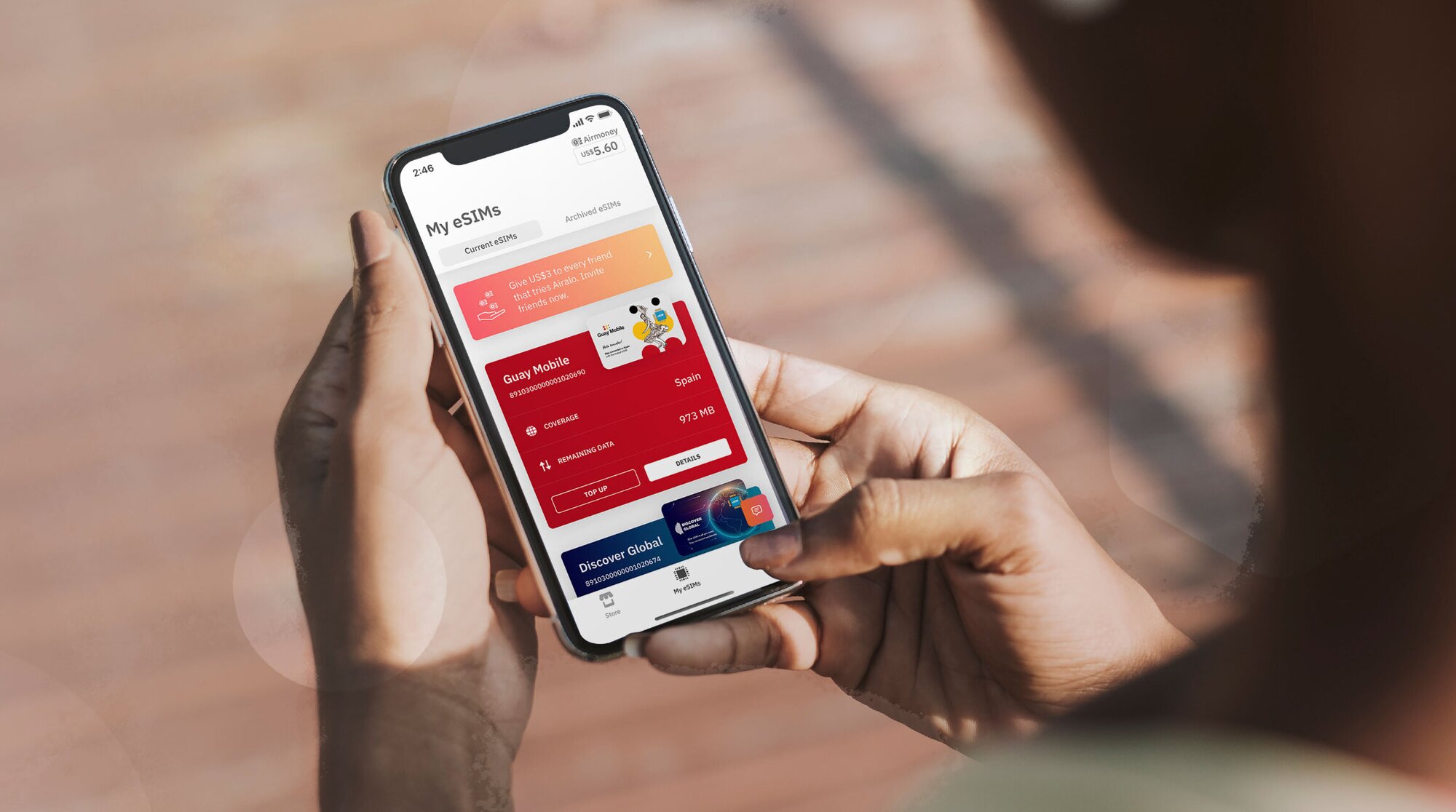
Wähle eine lokale, regionale oder globale Airalo eSIM
Mit einer Airalo eSIM bleibst du weltweit in über 200 Ländern und Regionen verbunden.
Das Beste daran: Du kannst ein eSIM-Paket wählen, das perfekt zu deinen Reiseplänen passt. Wähle aus:
- Lokale eSIM: Eine lokale eSIM ist sinnvoll, wenn man nur an einen Ort reist. Mit diesem Tarif bleibst du in nur einem Land verbunden.
- Regionale eSIM: Bleib verbunden, auch über Grenzen hinweg, ohne deine eSIM wechseln zu müssen. Mit diesem Tarif bleibst du in mehreren Ländern innerhalb einer bestimmten Region online. Perfekt für Inselhopping, eine Europareise oder ein Abenteuer in Afrika!
- Globale eSIM: Wenn du gerne um die Welt reist, ist eine globale eSIM die ideale Lösung, um immer verbunden zu bleiben. Ein globaler eSIM-Tarif bietet dir Netzabdeckung an zahlreichen Orten weltweit.
Vorteile einer Airalo eSIM
eSIMs bieten viele Vorteile gegenüber traditionellen SIM-Karten, wie zum Beispiel sofortiges Internet auf Reisen und vieles mehr. Die Nutzung einer eSIM von Airalo bietet viele Vorteile, zum Beispiel:
- Keine Roaminggebühren. Airalo eSIM-Tarife sind Prepaid. Zahle nur für die Daten, die du im Voraus kaufst oder unterwegs auflädst.
- Du bist an keinen bestimmten Anbieter gebunden. Wähle einfach den eSIM-Datentarif, der am besten zu deinen Bedürfnissen passt, und wechsle den Tarif unterwegs, wann immer du willst.
- Du kannst wie ein Local online sein. Airalo arbeitet mit lokalen Anbietern zusammen, um dir während deiner Reise die besten Preise und den besten Service zu bieten.
- Kontaktiere uns 24/7. Unser Support-Team ist rund um die Uhr für dich da, damit du jederzeit die Hilfe bekommst, die du brauchst – egal in welcher Zeitzone du dich befindest.

FAQ zu den eSIMs von Airalo
Du hast sicherlich einige Fragen, wenn du eine Airalo eSIM für deine Reise nutzen möchtest.
Wie lange dauert es, meine eSIM zu aktivieren?
Nicht lange!
Je nach Aktivierungsrichtlinie wird deine eSIM entweder direkt nach der Installation aktiviert oder sobald du dich mit einem unterstützten Netzwerk an deinem Zielort verbindest.
In beiden Fällen musst du deine eSIM einschalten und dich mit einem unterstützten Netzwerk verbinden, um deine eSIM-Daten zu nutzen.
Muss ich meine eSIM reaktivieren, wenn mein Paket endet?
Nicht nötig! Dein Airalo-Paket enthält vorinstallierte mobile Daten, die auf dem von dir gewählten Paket basieren. Wenn deine mobilen Daten aufgebraucht sind oder die Gültigkeit abläuft, kannst du sie ganz einfach in der Airalo-App aufladen.
Wenn dein eSIM-Paket keine Aufladeoption bietet, kannst du einfach ein anderes eSIM-Paket herunterladen, um weiterhin verbunden zu bleiben.
Was kann ich alles mit meiner Airalo eSIM tun?
Mit einer Airalo eSIM kannst du genau das Gleiche tun wie mit einer herkömmlichen SIM-Karte: dich mit einem Mobilfunknetz verbinden, im Internet surfen, deine Lieblingsapps nutzen und internetbasierte Anrufe sowie Nachrichten-Apps (wie WhatsApp) verwenden.
Kann ich meine SIM-Karte und meine eSIM-Karte zusammen verwenden?
Na klar! Die meisten Geräte unterstützen mehrere SIMs und/oder eSIMs gleichzeitig. Du kannst deine SIM-Karte aus der Heimat für Anrufe sowie SMS und deine eSIM für mobile Daten unterwegs nutzen.
Wenn du noch Fragen zur Aktivierung deiner eSIM hast, besuche unser Hilfezentrum oder schreib uns eine E-Mail an [email protected].
Möchtest du eine eSIM nutzen, um während deiner Reise immer online zu bleiben? Entdecke die Airalo eSIMs, um dich in über 200 Ländern und Regionen zu verbinden.
Step 2: Install Your eSIM
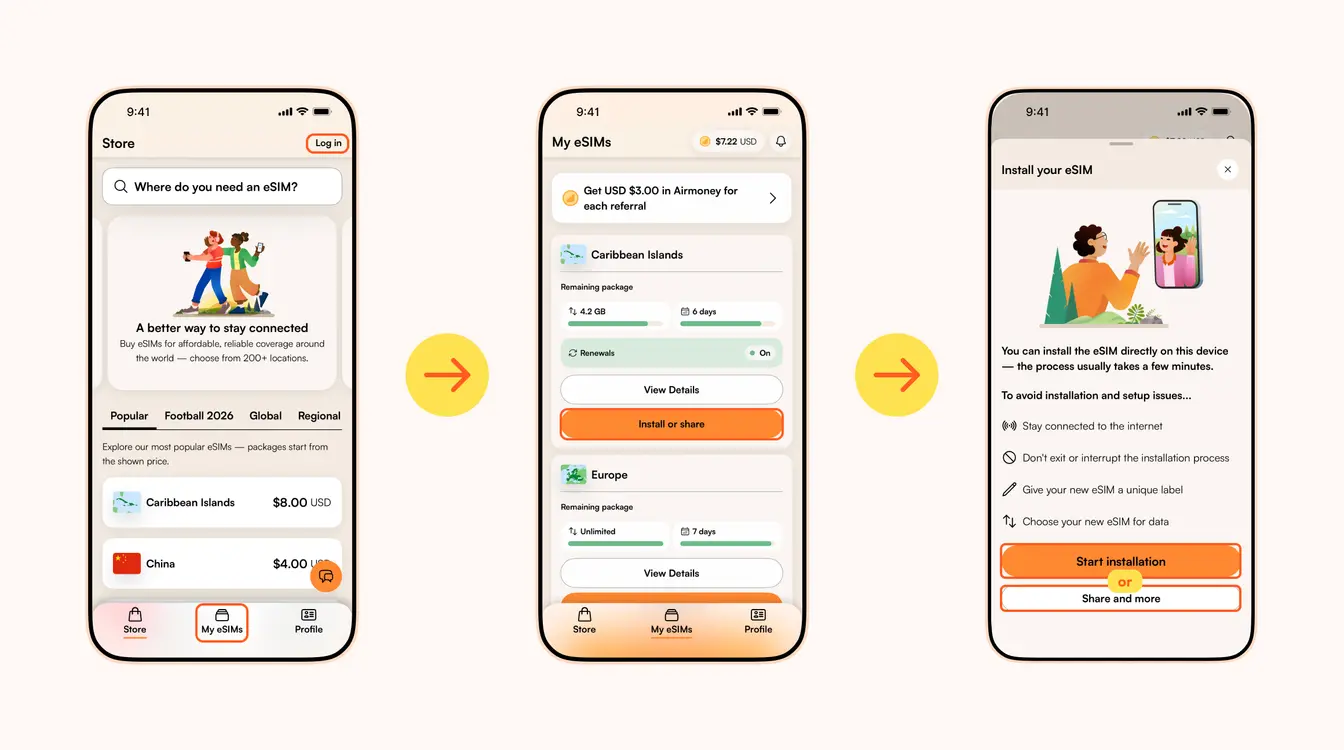
Once you've purchased your eSIM, you can choose to install or share the eSIM. If it's for your own use, select Start installation. Remember, you'll need a stable Wi-Fi connection for this.
Here are three different methods to install an Airalo eSIM:
- Direct: This is the most straightforward option. Go to your eSIM in the Airalo app, select Install or share → Start installation and follow the step-by-step prompts.
- QR Code: Use a QR code to start the installation process on another device. You can find more information under Install or share → Share and more.
- Manual: Enter your eSIM details manually in your device's Settings section. You can find more information under Install or share → Share and more.
For details on how to install your eSIM on a specific phone, follow the steps outlined in these links:
- iOS/iPhone eSIM guide
- Android eSIM guide
- Samsung Galaxy S20/S21 eSIM guide
- Google Pixel eSIM guide
- Huawei eSIM guide
Pro Tip: As you follow the installation steps, you'll be prompted to label your eSIM. For example, if you're visiting Japan, you can label your line as "Japan eSIM" to distinguish between your primary SIM and your eSIM. It makes switching between your eSIMs and turning them on and off easier — especially when using your SIM card for calls and texts, and your eSIM for data.
Step 3: Activate/Connect to Your Destination's Network
When should you activate/connect your eSIM?
Once you've installed your eSIM over Wi-Fi, the next step is to connect your eSIM. If you want to connect automatically on arrival, follow the steps below before you take off for your trip. Otherwise, you can do so once you arrive at your destination (you don't need a Wi-Fi connection for this step).
Follow the steps below to connect your eSIM to a network:
1. Go to the Airalo app
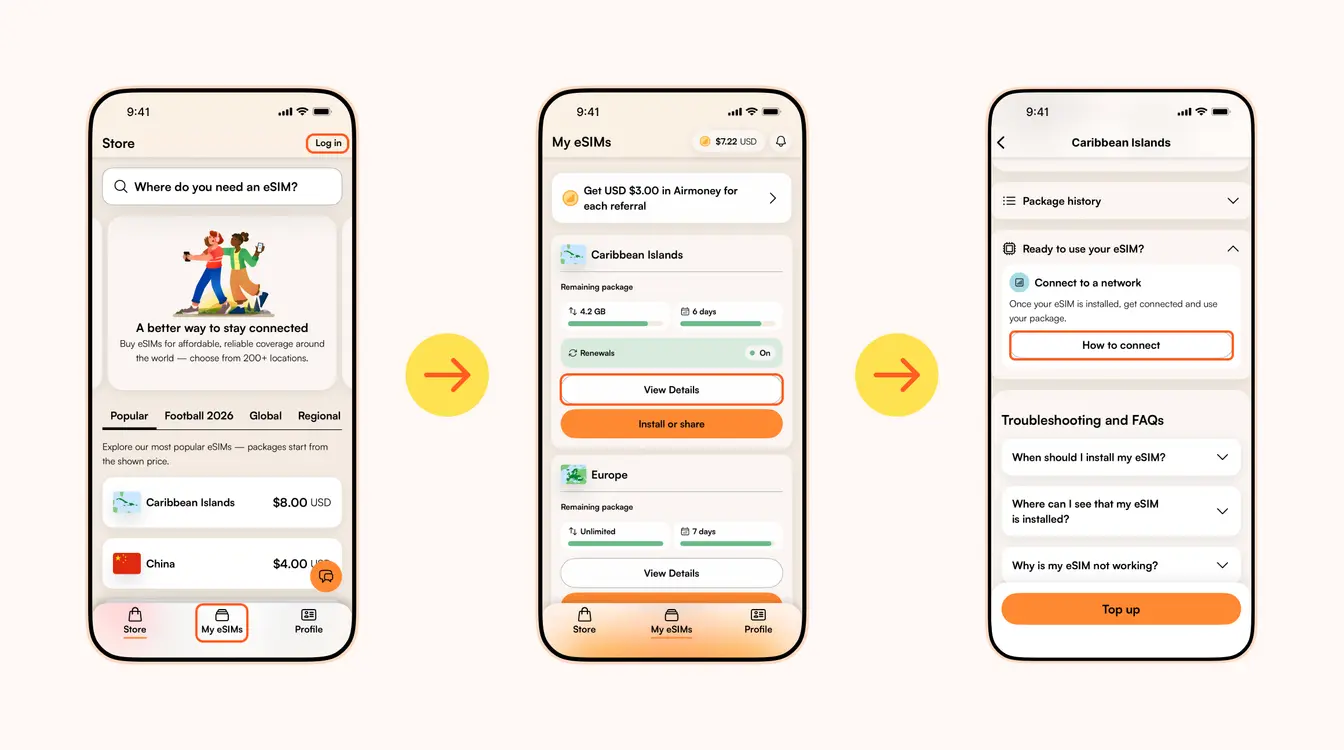
2. Navigate to My eSIMs → Your eSIM → View details → Ready to use your eSIM → Connect to a network → How to connect.
There, you'll find the exact steps you need to follow, but read on for a quick summary.
Here's how to turn on your eSIM line on iPhone:
- Go to Settings.
- Tap Cellular/Mobile Service.
- Select your new eSIM, if it hasn't already been selected.
- Toggle on Turn On This Line.
- Toggle on Data Roaming (if required in How to connect).
- Return to the main Cellular/Mobile Service menu.
- Tap Cellular Data/Mobile Data.
- Choose your eSIM.
- If your package includes calls and texts, tap Default Voice Line and choose your eSIM there as well.
Here's how to do it on Android:
- Go to Settings.
- Tap Network & Internet.
- Tap Mobile Network.
- Turn on your eSIM.
- Turn on Mobile Data.
- Turn on Data Roaming (if required in How to connect).
In case your eSIM does not connect to a network, try turning your phone off and on, or enable airplane mode for 10 seconds to refresh the network connection.
Important:
- To avoid being charged for roaming fees, you'll also want to turn off your carrier's data service. You can read how to do this here.
- If you're using a Global eSIM or a regional eSIM that includes your home country, do not activate it before you travel. Otherwise, it may activate in your home country, causing the validity period to begin before your trip.
- If your eSIM supports multiple networks, you can manually select the network you want to use. Check the supported networks for your eSIM in the Airalo app.
You can also follow our troubleshooting steps or contact our 24/7 help support.
Leitet dich zum Airalo-Hilfezentrum weiter, wo du weitere Support-Informationen findest.
Öffnet den Chat mit dem Airalo-Support auf WhatsApp.
Looking to use an eSIM to stay connected during your trip? Browse Airalo eSIMs to connect in 200+ destinations.